Overview
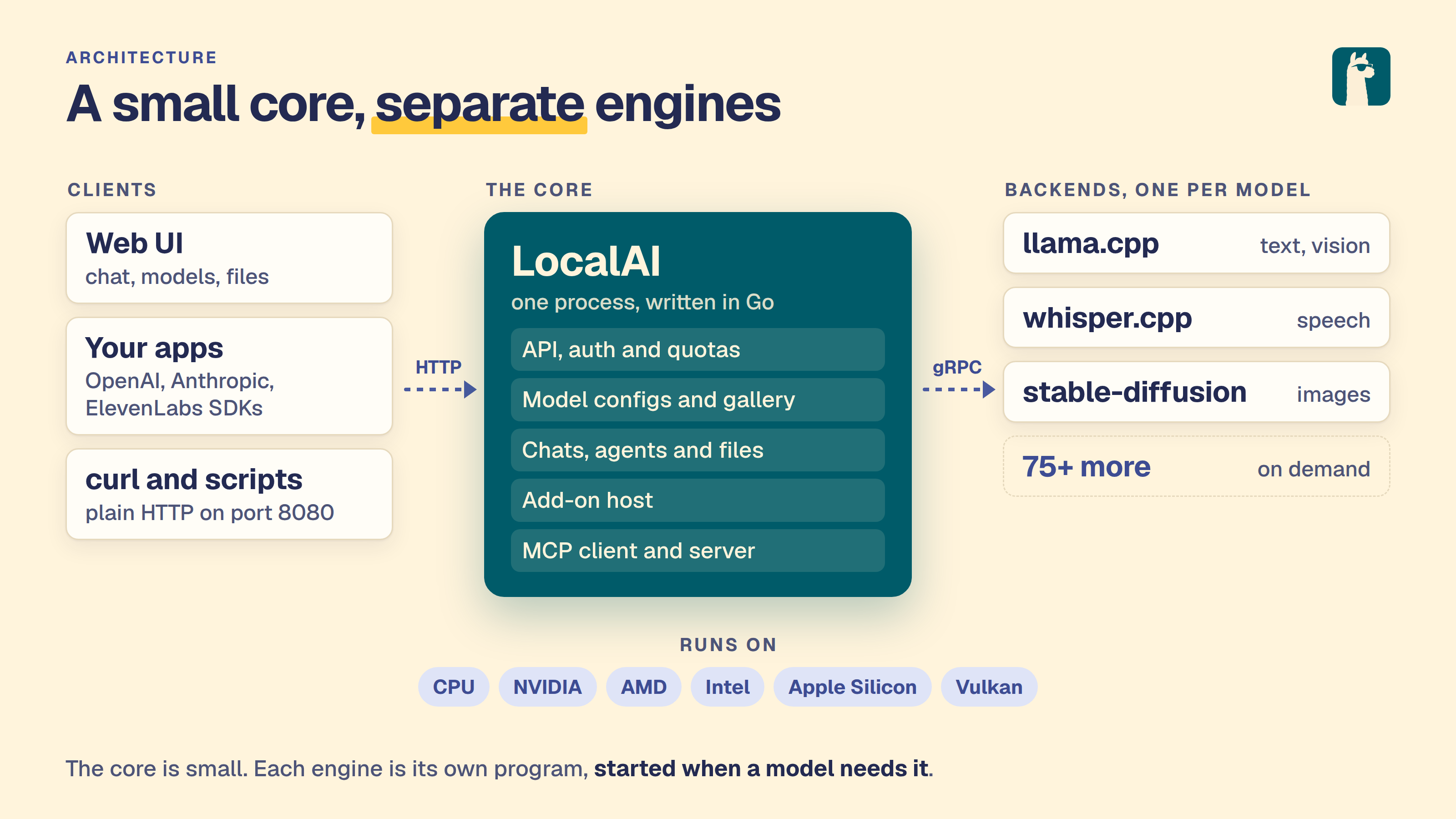
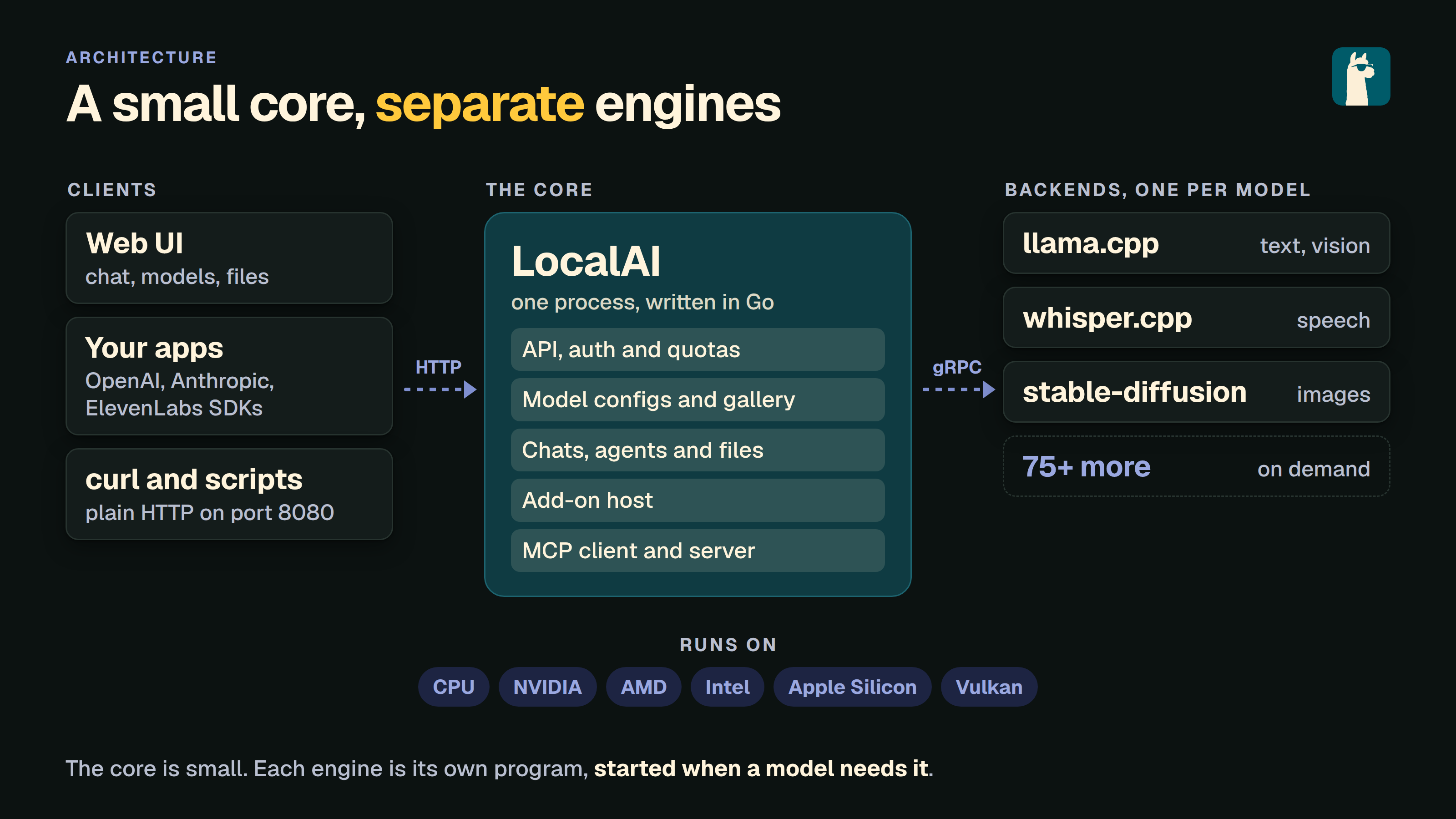
LocalAI is an AI server that runs on your own hardware. A small core speaks the OpenAI and Anthropic APIs. Each model backend is added only when you need it. Many existing clients work with it.
Why LocalAI
- Self-hosted. The server, the models and your files stay on your machines. Features that call outside services, such as web search or Gmail, are opt-in.
- Open source. MIT licence.
- Any hardware. Laptops and servers, with or without a GPU.
- Small core. Backends are separate. LocalAI installs a backend when a model needs it.
What is included
- OpenAI-compatible API. Routes in the OpenAI, Anthropic and Open Responses formats.
- Web interface. Chats, saved agents, files, model management, image generation and system monitoring.
- Agents. Saved agents that use tools over MCP (Model Context Protocol), add-ons and your files.
- Many modalities. Text, images, video, speech, sound, vision and embeddings. Each one runs on its own backend. See what models can do.
- GPU support. LocalAI detects NVIDIA, AMD, Intel and Vulkan GPUs.
- Distributed mode. Worker nodes, P2P federation and model sharding.
- Add-ons. Separate programs that add tools, such as the Sandbox and Office documents.
Each backend is a gRPC service around an engine such as llama.cpp, vLLM, whisper.cpp, stable-diffusion or MLX. Backends are OCI images that run as separate processes. You can install, upgrade or remove one without touching the core. One can run on another machine. A fault in one does not stop the others.
The backend contract is a small gRPC interface. You can write your own backend in any language.
Get started
On Linux or macOS, install with the script:
Then open http://localhost:8080 to use the web interface. On Windows, or if you prefer a container, use Docker:
For all methods, see the install guide. For GPU images, see the container images reference.
Community and Support
LocalAI is a community-driven project. You can:
- Join the Discord community
- Visit the GitHub repository
- Contribute to the project
- Share your use cases and examples
Next Steps
Ready to dive in? Here are some recommended next steps:
- Install LocalAI - Start with the install script, or choose another method
- Quickstart guide - Run a first model and send a first message
- Explore available models
- Model compatibility
- Try out examples
- Join the community
Team
LocalAI is created by Ettore Di Giacinto and maintained by the LocalAI team:
- Ettore Di Giacinto - original author and project lead
- Richard Palethorpe - maintainer
LocalAI is helped by the wider community of contributors. See the full contributors list.
License
LocalAI is MIT licensed.